Right. My cpd23 six-word story is definitely: "shouldn't have taken me so long". But, at long last, I'm up to the last thing: looking forward.
Having some sort Professional Development Plan is definitely a good idea. I've yet to work out how best to manage it for myself. I don't really like the PPDP format used in Chartership, although that's maybe because the whole Chartership procedure feels artificial to me. I do know that I'll be needing a plan seeing as I'm starting a new job soon. But I can't really do much on it until I have my feet under the desk. I do already know that an improved knowledge of RDA and of the history of medicine are needed. The former I'm addressing by watching this webinar, the latter by watching #histmed tweets.
I'll set myself a target to have a plan written by the end of January. That will give me a little time to work out what it is I need to know.
Showing posts with label cpd23. Show all posts
Showing posts with label cpd23. Show all posts
Tuesday, 20 November 2012


#cpd23 Thing 22: Volunteering
Wowee, this is a contentious issue, and not just in UK libraries. There was a great post the other week about the use of volunteers in archives: I recommend reading it, even if you're not au fait with the workings of the Society of American Archivists.
There's a real and unpleasant tension between the competitiveness of the job market necessitating everyone get experience even before they're employed in a library and the constant pressure to save money (in the short term, if you actually want to maintain a decent service I suspect) by losing staff. Of course, the latter also contributes to the former.
I've been remarkably lucky in not having had to weigh up my conscience against my need to gain experience. I did a few weeks voluntary work in my local public library when I was a third-year undergraduate, at the point at which I'd worked out I wanted to go into library work and had read the university careers service advice suggesting I get some experience. Even at that time (c. 2004/5) I felt a bit concerned that I was doing work, as a volunteer, that probably warranted 'proper' staff attention. I spent quite a while updating a very useful catalogue of the contents of song compilation books in the music library: vitally useful when someone's looking for a copy of a given song and doesn't know, or care, what book(s) it might be in. I think I did a good enough job of it, but I did feel that there really should have been enough paid staff time for it to be done regularly and not relegated to "when we have someone extra here".
I was considering offering up my services to various libraries if I'd not found a new post after my current contract ended. The areas in which I thought I could do with more experience (cataloguing in particular) lend themselves to volunteer help, I think, and there's always something to be catalogued somewhere. Other extra-curricular work, such as sitting on the Cambridge Library Group committee also counts as voluntary work, I suppose. (And the Group is always looking for new committee members, if anyone local is interested...) It's certainly a good way to develop new skills, and is a way to broaden your horizons without feeling that you're contributing to putting professional and para-professional out of their jobs.
There's a real and unpleasant tension between the competitiveness of the job market necessitating everyone get experience even before they're employed in a library and the constant pressure to save money (in the short term, if you actually want to maintain a decent service I suspect) by losing staff. Of course, the latter also contributes to the former.
I've been remarkably lucky in not having had to weigh up my conscience against my need to gain experience. I did a few weeks voluntary work in my local public library when I was a third-year undergraduate, at the point at which I'd worked out I wanted to go into library work and had read the university careers service advice suggesting I get some experience. Even at that time (c. 2004/5) I felt a bit concerned that I was doing work, as a volunteer, that probably warranted 'proper' staff attention. I spent quite a while updating a very useful catalogue of the contents of song compilation books in the music library: vitally useful when someone's looking for a copy of a given song and doesn't know, or care, what book(s) it might be in. I think I did a good enough job of it, but I did feel that there really should have been enough paid staff time for it to be done regularly and not relegated to "when we have someone extra here".
I was considering offering up my services to various libraries if I'd not found a new post after my current contract ended. The areas in which I thought I could do with more experience (cataloguing in particular) lend themselves to volunteer help, I think, and there's always something to be catalogued somewhere. Other extra-curricular work, such as sitting on the Cambridge Library Group committee also counts as voluntary work, I suppose. (And the Group is always looking for new committee members, if anyone local is interested...) It's certainly a good way to develop new skills, and is a way to broaden your horizons without feeling that you're contributing to putting professional and para-professional out of their jobs.
#cpd23 Thing 21: Job applications and interviews
Having recently been applying for jobs (once successfully, hurrah!) it would have been well to have tackled this Thing a few months ago. But no matter: perhaps I can conjure up some useful advice from my recent experience?
Keep a list
Keeping a list, table, spreadsheet, notebook, or other record of everything notable you've done professionally both inside and outside work is absolutely invaluable when trying to write up a new CV or complete and application form. I keep mine divided up by the type of thing I did - attending a talk, speaking at an event, visiting a library, writing an article, etc. - but you could equally well use another organising principle. As long as the salient details are recorded (what, where, when) you can pick the things you need for each application. I also keep all my old applications and CVs, so I can pick (with care!) phrases from them, and so I can use previous lists of "tasks undertaken" in any given job as a basis for the new write-up.
I'm pretty ruthless and try to keep a note of everything I've done, even if it doesn't look particularly relevant to my current or future work. You never know when it might come in handy, and if I haven't recorded it I tend to forget that it happened at all. Seeing something on a list (e.g. a presentation about medical databases that I attended) will call to mind some of the things I thought and learnt at the time (e.g. that there's an awful lot of really good metatdata work going on in databases like pubmed), which might just be useful to bear in mind during the application process.
Make it relevant
Compared with, say, applying for a University place (and I went through the Cambridge application process, complete with moderately baffling interview questions such as "how would you explain the differences between the main two political parties to a Martian who'd just arrived on earth?"), applying for jobs always seems to me a bit like sitting an exam for which the answers are given in advance. I'm not saying it's easy, but most applications (certainly in the library world) come with a list of requirements that the candidate should meet. I find writing an application that meets each of these one-by-one--neatly supported with evidence from The List--pretty dull, really. The constant self-aggrandisement grows wearing, and there's no intellectual or creative challenge beyond trying not to start each sentence with "I". Still, I'm not complaining... I still have flashbacks to how I didn't mention attitudes to taxation in the Martian question (and how I wish I were joking).
Get some advice
As well as having a second pair of eyes look over your application for typos, style and tone, it can be invaluable to speak to colleagues, mentors or connections who know something about the place you're applying to. Obviously this isn't always possible, as you don't always want to advertise that you're applying for jobs in general, or a particular post in particular. However librarianship, especially in certain sectors, is quite a small world, and it's likely you know someone who knows a bit more about the ethos and aims of the place you're applying than you can glean from their website and the application materials.
Enjoy yourself
This bit is hard, especially when you're applying for jobs because you're on a short-term contract or are currently out of work. But there's no point working somewhere that you're not happy: you'll only make yourself ill. So, at interview, make an effort to enjoy yourself and show your personality. If this doesn't go down well then you probably don't want to be at that place anyway...
To anyone reading this who's currently applying: good luck!
Keep a list
Keeping a list, table, spreadsheet, notebook, or other record of everything notable you've done professionally both inside and outside work is absolutely invaluable when trying to write up a new CV or complete and application form. I keep mine divided up by the type of thing I did - attending a talk, speaking at an event, visiting a library, writing an article, etc. - but you could equally well use another organising principle. As long as the salient details are recorded (what, where, when) you can pick the things you need for each application. I also keep all my old applications and CVs, so I can pick (with care!) phrases from them, and so I can use previous lists of "tasks undertaken" in any given job as a basis for the new write-up.
I'm pretty ruthless and try to keep a note of everything I've done, even if it doesn't look particularly relevant to my current or future work. You never know when it might come in handy, and if I haven't recorded it I tend to forget that it happened at all. Seeing something on a list (e.g. a presentation about medical databases that I attended) will call to mind some of the things I thought and learnt at the time (e.g. that there's an awful lot of really good metatdata work going on in databases like pubmed), which might just be useful to bear in mind during the application process.
Make it relevant
Compared with, say, applying for a University place (and I went through the Cambridge application process, complete with moderately baffling interview questions such as "how would you explain the differences between the main two political parties to a Martian who'd just arrived on earth?"), applying for jobs always seems to me a bit like sitting an exam for which the answers are given in advance. I'm not saying it's easy, but most applications (certainly in the library world) come with a list of requirements that the candidate should meet. I find writing an application that meets each of these one-by-one--neatly supported with evidence from The List--pretty dull, really. The constant self-aggrandisement grows wearing, and there's no intellectual or creative challenge beyond trying not to start each sentence with "I". Still, I'm not complaining... I still have flashbacks to how I didn't mention attitudes to taxation in the Martian question (and how I wish I were joking).
Get some advice
As well as having a second pair of eyes look over your application for typos, style and tone, it can be invaluable to speak to colleagues, mentors or connections who know something about the place you're applying to. Obviously this isn't always possible, as you don't always want to advertise that you're applying for jobs in general, or a particular post in particular. However librarianship, especially in certain sectors, is quite a small world, and it's likely you know someone who knows a bit more about the ethos and aims of the place you're applying than you can glean from their website and the application materials.
Enjoy yourself
This bit is hard, especially when you're applying for jobs because you're on a short-term contract or are currently out of work. But there's no point working somewhere that you're not happy: you'll only make yourself ill. So, at interview, make an effort to enjoy yourself and show your personality. If this doesn't go down well then you probably don't want to be at that place anyway...
To anyone reading this who's currently applying: good luck!
Sunday, 18 November 2012
#cpd23 Thing 20: Library Routes
I don't have a lot to write for this Thing. I wrote about my library roots and route a couple of years ago, and while I've moved on a bit in job terms since then, my history in libraries hasn't!
I don't think my path into special collections work has been particularly unusual. It's certainly been marked by a fair dose of good luck at various times. My advice to other people would be to grab chances to gain experience whenever they come along. You never know when they might come in useful in the future!
I don't think my path into special collections work has been particularly unusual. It's certainly been marked by a fair dose of good luck at various times. My advice to other people would be to grab chances to gain experience whenever they come along. You never know when they might come in useful in the future!
Wednesday, 14 November 2012
#cpd23 Thing 19: Integrating Twitter into professional life
I use a few different tools and tricks to make Twitter work for me professionally.
The first thing I do is archive everything I tweet using ifttt.com and Evernote. I think it's useful to have a record of what I've said, just for later personal reference and so I can trace any useful things I might have said or shared and not bookmarked at the time. It used to be very straightforward to link Twitter and ifttt.com (ifttt stands for "if this then that" and is a service that lets you link triggers in one place with actions somewhere else), but sadly Twitter withdrew the ability to join the two directly. For the time being you can still use RSS feeds to suck Twitter content into ifttt. The RSS feed for any given user looks like this: https://api.twitter.com/1/statuses/user_timeline.rss?screen_name=USERNAME, where you replace USERNAME with the obvious. Using this as the trigger it's straightforward to save all tweets to an Evernote note, which records their time and date and the tweet URL.
I also use ifttt to save tweets with certain content as bookmarks in Diigo. There's an option to do something only with RSS feed items that contain certain text, and I have triggers set up for certain hashtags such as #speccolls, #archives, #manuscripts and #libraryhistory. Whenever I tweet something with any of those tags the tweet is saved to Diigo with various tags of my choosing. I include the tag "tagme" so that I can find them all on Diigo later and add further specific tags as necessary. This is, unsurprisingly, the bit I am least good at. I need to make some time every week to tidy them up a bit.
I find interesting #speccolls content mainly from two Twitter lists I've set up: spec colls people and institutional spec colls. Every now and again I'll search Twitter users for appropriate new additions to the lists (as well as adding users I stumble across in every day tweeting). I don't follow everyone on these lists, but I keep the lists open in Hootsuite to keep an eye on what's going on, and retweet (with the hashtags mentioned above) what interests me.
Lastly, I use Scoop.it to draw together links connected to special collections. It's set up to catch my tweets with relevant hashtags (as mentioned above), as well as taking posts from a few special collections blogs. Then I choose the stuff that I want to include, add extra description, select a picture to show and add tags. I do this once a week at the weekend, and it takes surprisingly little time. It's a really good way to review what's been happening recently and to get a chance to read in more depth the things I might have skimmed over previously. Hopefully the links are useful for other people, too! I tried using paper.li to do something similar, but it's a completely automated process. I can see how that's useful in some situations, but for me it means I don't come face-to-face with things in the same way, and I didn't find it was picking up all the stuff I wanted it to. That latter could be fine-tuned with a little effort though, I'm sure.
The first thing I do is archive everything I tweet using ifttt.com and Evernote. I think it's useful to have a record of what I've said, just for later personal reference and so I can trace any useful things I might have said or shared and not bookmarked at the time. It used to be very straightforward to link Twitter and ifttt.com (ifttt stands for "if this then that" and is a service that lets you link triggers in one place with actions somewhere else), but sadly Twitter withdrew the ability to join the two directly. For the time being you can still use RSS feeds to suck Twitter content into ifttt. The RSS feed for any given user looks like this: https://api.twitter.com/1/statuses/user_timeline.rss?screen_name=USERNAME, where you replace USERNAME with the obvious. Using this as the trigger it's straightforward to save all tweets to an Evernote note, which records their time and date and the tweet URL.
I also use ifttt to save tweets with certain content as bookmarks in Diigo. There's an option to do something only with RSS feed items that contain certain text, and I have triggers set up for certain hashtags such as #speccolls, #archives, #manuscripts and #libraryhistory. Whenever I tweet something with any of those tags the tweet is saved to Diigo with various tags of my choosing. I include the tag "tagme" so that I can find them all on Diigo later and add further specific tags as necessary. This is, unsurprisingly, the bit I am least good at. I need to make some time every week to tidy them up a bit.
I find interesting #speccolls content mainly from two Twitter lists I've set up: spec colls people and institutional spec colls. Every now and again I'll search Twitter users for appropriate new additions to the lists (as well as adding users I stumble across in every day tweeting). I don't follow everyone on these lists, but I keep the lists open in Hootsuite to keep an eye on what's going on, and retweet (with the hashtags mentioned above) what interests me.
Lastly, I use Scoop.it to draw together links connected to special collections. It's set up to catch my tweets with relevant hashtags (as mentioned above), as well as taking posts from a few special collections blogs. Then I choose the stuff that I want to include, add extra description, select a picture to show and add tags. I do this once a week at the weekend, and it takes surprisingly little time. It's a really good way to review what's been happening recently and to get a chance to read in more depth the things I might have skimmed over previously. Hopefully the links are useful for other people, too! I tried using paper.li to do something similar, but it's a completely automated process. I can see how that's useful in some situations, but for me it means I don't come face-to-face with things in the same way, and I didn't find it was picking up all the stuff I wanted it to. That latter could be fine-tuned with a little effort though, I'm sure.
Sunday, 11 November 2012
#cpd23 Thing 18: Jing / screen capture / podcasts
After a long absence, I'm back on the cpd23 bandwagon, rushing to complete in time for the 30th November certificate deadline. I've done some of this Thing before: I made a screencast about using the GIMP image-editing programme last year.
I've taken a particularly special collections angle on the Thing this time round, and considered the value of audio and video for promoting understanding of rare books, manuscripts and other interesting holdings. This is something that, for example, the Bodleian Library does with its exhibitions, making curator videos about star exhibits and themes.
I've also recently rediscovered Gresham College, which gives public lectures on a wide range of themes. They do a really good job of having streaming and downloadable video and audio, and transcriptions, accessible on their website. See, for example, Dr Peter Ross' lecture 'The Historical Collections of the Guildhall Library'.
Inspired by these, I've put together a short video about medieval manuscript calendars. I'm not a specialist medievalist, so if you find any errors please do let me know! I've made it available in lots of different formats, listed below. Please let me know if any don't work properly.
You can view the whole manuscript I use as an example--St Gallen MS Cod. Sang. 402--via the e-codices Virtual Manuscript Library of Switzerland.
And I've collected together other examples of manuscript calendar pages over here on Pinterest.
Download mp4 video here
Watch YouTube video:
Download mp3 audio here
Listen to mp3 audio:
Transcription (download pdf here):
I've taken a particularly special collections angle on the Thing this time round, and considered the value of audio and video for promoting understanding of rare books, manuscripts and other interesting holdings. This is something that, for example, the Bodleian Library does with its exhibitions, making curator videos about star exhibits and themes.
I've also recently rediscovered Gresham College, which gives public lectures on a wide range of themes. They do a really good job of having streaming and downloadable video and audio, and transcriptions, accessible on their website. See, for example, Dr Peter Ross' lecture 'The Historical Collections of the Guildhall Library'.
Inspired by these, I've put together a short video about medieval manuscript calendars. I'm not a specialist medievalist, so if you find any errors please do let me know! I've made it available in lots of different formats, listed below. Please let me know if any don't work properly.
You can view the whole manuscript I use as an example--St Gallen MS Cod. Sang. 402--via the e-codices Virtual Manuscript Library of Switzerland.
And I've collected together other examples of manuscript calendar pages over here on Pinterest.
Download mp4 video here
Watch YouTube video:
Download mp3 audio here
Listen to mp3 audio:
Transcription (download pdf here):
Thursday, 24 May 2012
Behind the scenes at #cpd23: automating (some of) the registration process
A couple of weeks ago, I asked for thoughts about ways of automating the process of adding new subscriptions to a single RSS feed drawn from multiple sources. This was to try and streamline the process of managing registrations for 23 Things for Professional Development. I seem to have come up with something that works, albeit in a somewhat ungainly fashion, so I thought I'd write it up.
Here's a diagram of what's what. Red lines and text are manual steps done by the cpd23 team, and the blue lines and text are the automated bits. The yellow stars show the outputs that are intended for general use. If you can't see the image for whatever reason don't worry - I explain all the steps below.
The aims of the system are
Benefits of this system:
Here's a diagram of what's what. Red lines and text are manual steps done by the cpd23 team, and the blue lines and text are the automated bits. The yellow stars show the outputs that are intended for general use. If you can't see the image for whatever reason don't worry - I explain all the steps below.
 |
| Icons by Mysitemyway Design Team via iconfinder.com |
The aims of the system are
- to generate a tagged list of participants, so that participants and others can find blogs that interest them, based on geographical region and professional sector
- to create a feed of recent posts by participants to show on the cpd23 homepage
- to create a combined feed of all cpd23 participants' posts, to which anyone who is interested can subscribe
- Participants register their blogs using a Google Docs form (embedded into this blog post).The data submitted into a Google Docs form is stored in a Google Docs spreadsheet, which can be accessed and edited.
- Cpd23 team members manually visit each blog that is registered, and (if the link submitted is valid and the blog is a personal cpd blog) they add it to Delicious, including tags for place, sector, year and an alphabetical tag for the first letter of the blog title. (I use the handy Delicious bookmarklet for this.)
- Delicious provides scripts that power the 'recently signed-up' widget on the cpd23 blog, and the participants list on the participants page. There is a limit to the number of links that Delicious will provide (100 at a time), which is why the alphabetic tags are added to the bookmarks: the participants list is powered by a script for each letter of the alphabet.
- An ifttt task takes all new bookmarks added to Delicious with the tag '2012' and submits them to the Google Reader folder 2012. Where possible, Google Reader can automatically extract an RSS feed from the link given.
- Cpd23 team members periodically update the 'Participants posts' widget on the cpd23 blog, which runs using the Blogger blogroll widget. It's easy to add new subscriptions in the 2012 folder from Google Reader.
- Another ifttt task takes all new posts in the Google Reader 2012 folder, and bookmarks them in Diigo, adding the tag 'cpd23feed'. (It could bookmark them in Delicious instead, but I wanted to keep the Delicious account just for links to blogs, and not confuse matters by adding lots and lost of links to posts there).
- Diigo provides RSS feeds of users' tags, so an RSS feed of all new posts from cpd23 participants can be made available. The format of Diigo RSS feeds is: http://www.diigo.com/rss/user/[username]/[tag]
- And that's it.
Benefits of this system:


- It minimizes the number of manual steps - we only need to get involved at two points in the process
- It enables us to offer the 'added value' service of a combined RSS feed, on top of the Blogger blogroll and the tagged Delicious participants list.
- It relies on a lot of services running correctly
- Time lag: the ifttt tasks, and the feeds from Delicious and Diigo update periodically, so new blogs and posts aren't available everywhere immediately. The lag is usually up to an hour.
- Ifttt only recognises new tags, so if Delicious recognises a 2011 participant blog such that we're just adding a new 2012 tag to an existing bookmark that blog has to be added to Reader by hand.
- Google Reader doesn't always correctly find the feed of a link submitted from Delicious.
- The resulting RSS feed, because it's a feed of bookmarks not posts, only shows links and not post text. This really isn't ideal, but it's the best I could come up with.
Sunday, 20 May 2012
#cpd23 Things 1, 2 and 3 (ish)
The 23 Things for Professional Development online course, of which I am one of the organisers, has recently started its second run. Last year I got as far as Thing 17 before grinding to a halt. This year I plan to complete the remaining things when they roll round (schedule here), and to add a few thoughts on the earlier things if I find myself so inspired.
My main focus is, however, going to be on reading and commenting on other peoples' blogs. Last year I got very tied up helping to administer the course; it was great experience and good fun, but didn't leave much time for more active engagement. This year I hope to change that. I've started by subscribing to the posts and comments on all the special collections and archives blogs, and I'm following up some of the commenters I've found there, and some of the posts from the combined cpd23 RSS feed. (I'll be writing up a post on how that feed's put together very soon, if anyone's interested in the techy side.)
If you're interested in my thoughts on Thing 3 (personal branding), I've written about it a couple of times over the last year. And do say hello in the comments if you've found this post on your cpd23 travels!
My main focus is, however, going to be on reading and commenting on other peoples' blogs. Last year I got very tied up helping to administer the course; it was great experience and good fun, but didn't leave much time for more active engagement. This year I hope to change that. I've started by subscribing to the posts and comments on all the special collections and archives blogs, and I'm following up some of the commenters I've found there, and some of the posts from the combined cpd23 RSS feed. (I'll be writing up a post on how that feed's put together very soon, if anyone's interested in the techy side.)


If you're interested in my thoughts on Thing 3 (personal branding), I've written about it a couple of times over the last year. And do say hello in the comments if you've found this post on your cpd23 travels!
Tuesday, 15 May 2012
Some thoughts on brand #cilipnpd12 #cpd23
At the CILIP New Professionals Day last Friday the always-super Ned Potter gave a great keynote about personal brand: You already have a brand: here are five ways to influence it.
Ned emphasised that personal brand is more about what you do than about working out what colour your business cards should be: action not appearance. He covered a lot of ways to influence personal brand, all of them useful, but the part that most caught my attention was the section on blogging. Little of what was said was 100% new to me, but Ned somehow brought it all together and into focus, so now I have a much better idea of what I should be trying to do.
My efforts to brand myself as an interested, enthusiastic and competent special collections new professional can't have been doing too badly, as I was asked to lead a workshop at the New Professionals Day, but I'm always keen to improve. I've been wondering for a while quite what it is I'm doing with this blog: I use it to record some of the things I do and what I think about them, and to put out information about things I hear about, and sometimes how to explain to do things.
Ned suggested that to be successful for promoting a personal brand*, blogs need to offer one of the following characteristics: usefulness, helpfulness, silliness, style, honesty or provocation. When I first started, as part of 23 Things Cambridge in summer 2010, the other participants voted me most helpful blogger both, I think, for some of the how-to posts I wrote as well as my comments on other blogs. Since I finished that course I've not been so consciously helpful: I've been focussing a lot more on reflective writing, which is rarely of such great interest to other people. Looking through my blog stats, my most popular posts are as follows.
By views
So I'm going to make an effort to write-up more useful and helpful posts. This is something I know I can do, and comes much more naturally than being provocative (well, most of the time - I'm not always a shrinking violet), or silly, or stylish. To start with, I'll compile a weekly list of useful special collections links I see and retweet on Twitter: not everyone's on Twitter, and even those who are can't catch everything. I think it could be useful to record them somewhere less fleeting. Unless anyone knows of somewhere else doing the same thing already? I'll also pull my finger out and try and write up some of the how-to posts that have been languishing in my to-do list for too long.
Thanks Ned for inspiring me into action!
*Edited to express what I meant to express first time round, 15 May 2012.
Ned emphasised that personal brand is more about what you do than about working out what colour your business cards should be: action not appearance. He covered a lot of ways to influence personal brand, all of them useful, but the part that most caught my attention was the section on blogging. Little of what was said was 100% new to me, but Ned somehow brought it all together and into focus, so now I have a much better idea of what I should be trying to do.
My efforts to brand myself as an interested, enthusiastic and competent special collections new professional can't have been doing too badly, as I was asked to lead a workshop at the New Professionals Day, but I'm always keen to improve. I've been wondering for a while quite what it is I'm doing with this blog: I use it to record some of the things I do and what I think about them, and to put out information about things I hear about, and sometimes how to explain to do things.
Ned suggested that to be successful for promoting a personal brand*, blogs need to offer one of the following characteristics: usefulness, helpfulness, silliness, style, honesty or provocation. When I first started, as part of 23 Things Cambridge in summer 2010, the other participants voted me most helpful blogger both, I think, for some of the how-to posts I wrote as well as my comments on other blogs. Since I finished that course I've not been so consciously helpful: I've been focussing a lot more on reflective writing, which is rarely of such great interest to other people. Looking through my blog stats, my most popular posts are as follows.
By views
- Doing it wrong (provocation and honesty)
- What's your name (useful)
- Threat of library closure at the British Museum (useful and a rant)
- Knit one purl one (silliness and knitting)
- A week in my library life (useful)
- Thing 18: "They may pass for excellent men" (a post about Zotero and Mendeley, asking for advice)
- On anonymity (honest post about blogging choices)
- What's your name? (useful)
- Does my bran look big in this? (asking for comments)
- For your reading pleasure (useful)
So I'm going to make an effort to write-up more useful and helpful posts. This is something I know I can do, and comes much more naturally than being provocative (well, most of the time - I'm not always a shrinking violet), or silly, or stylish. To start with, I'll compile a weekly list of useful special collections links I see and retweet on Twitter: not everyone's on Twitter, and even those who are can't catch everything. I think it could be useful to record them somewhere less fleeting. Unless anyone knows of somewhere else doing the same thing already? I'll also pull my finger out and try and write up some of the how-to posts that have been languishing in my to-do list for too long.
Thanks Ned for inspiring me into action!
*Edited to express what I meant to express first time round, 15 May 2012.
Monday, 30 April 2012
Can you help? Mash-up of RSS feeds...
We're gearing up to running a new round of 23 Things for Professional Development course, and I'm trying to streamline the sign-up process.
Sign-ups work as follows:
So, does anyone know of a way of automatically adding feeds from a specific folder to a bundle? It's easy to do when you first set up a bundle, but if you add anything new to the folder afterwards (which we will be doing), then you have to add that manually to the bundle, too.
Or, does anyone know of a different, better, way to automate getting from a feed of new delicious bookmarks to an RSS feed of the posts of all the blogs thus bookmarked?
Sign-ups work as follows:
- Person enters their details (blog title, blog URL, location, type of library work they do) into a Google form.
- Someone from cpd23 team checks the details, and saves the blog as a link in Delicious.
- The Delicious bookmarks are useful for people looking for blogs to follow, and feeds from Delicious are used to maintain a list of all participants on the cpd23 blog, and a 'latest sign-ups' widget, too.
- A task on ifttt.com takes new Delicious bookmarks and inputs them into a Google Reader folder. (Reader will usually find an RSS feed direct from a blog homepage URL.
- A 'latest cpd23 posts' can be created using Blogger's blog-list widget - pulling in feeds from the appropriate Reader folder.
So, does anyone know of a way of automatically adding feeds from a specific folder to a bundle? It's easy to do when you first set up a bundle, but if you add anything new to the folder afterwards (which we will be doing), then you have to add that manually to the bundle, too.
Or, does anyone know of a different, better, way to automate getting from a feed of new delicious bookmarks to an RSS feed of the posts of all the blogs thus bookmarked?
Wednesday, 23 November 2011
#cpd23 Thing 17: Slideshare and prezi
Slideshare is useful but not perfect. A few things I've learnt the hard way that might be of use:
As for Prezi, well, I made a quick Prezi about that:
- Make the text on your title slide good and big. That way people will be able to read it more clearly on when it's shown as a thumbnail on your homepage and elsewhere.
- Slideshare proclaims to upload your speaker notes with your slides. In my experience, this only works for .pptx files (i.e. 2007 and later versions of Powerpoint), and only the first time you upload. If you make changes and upload your presentation again, the notes won't be updated, and if you've added extra slides your notes will end up out of alignment.
- Slideshare doesn't reproduced animation effects in your presentations, so if you have one slide on which various things appear one-by-one, they'll be there together in one go on Slideshare. I get round this by making individual slides for each new appearing thing.
- EDITED 23/11/11. Lastly, Slideshare only has a fairly limited repertoire of fonts that it supports automatically. Embedding your fonts in a presentation seems to get round this OK if you save your file as a .pptx file (that's the newer version of Powerpoint, from 2007 onwards). Normally I'd recommend that you save your files as .ppt, as the newer .pptx format cannot be read by people who have the older software (or who are running open source software), but for the purposes of Slideshare it seems that .pptx is the way to go (see also speaker notes, above). If you don't have access to newer Powerpoint, your best bet is to check in advance whether your fonts will work: here are some slides that show a few fonts that do and don't work out of the box, or try uploading a test slide when you're planning your slides.
- EDITED 23/11/11 I forget to say in the original post that you should never put important, or clickable (yes - add clickable links in your Slideshare slides, that's where they're useful, not in the slides you show in person) links near the edge of your slides. You never know what will be cut off if the projection is bad, and clicking at the edge of slides on Slideshare makes them advance or go backwards. So links near the edges are no use.
As for Prezi, well, I made a quick Prezi about that:
Tuesday, 22 November 2011
#cpd23 Thing 16: Advocacy, activism, getting published
I've had some success with publications, as you can see from my Google Scholar Citations page. You'll note that there's a serious (if not very good) academic article, a couple of papers about professional practice, and a Guardian piece advocating for libraries by highlighting the varied things that librarians do. I also regularly compile a bibliography for the journal Library & Information History and am writing a chapter for a forthcoming review book, and I've had a piece in Update (april edition) about the Fred Hoyle Project.
Mostly these have come about through chance and luck, and not through serious planning. I think, from a cpd point of view, I ought to work harder perhaps on writing about my main professional area of interest: rare books, special collections, and outreach. I worry that my publication record so far is somewhat nebulous and disperesed, and perhaps doesn't give a focussed impression of what I'm interested in, or what I'm good at.
I've not been hugely active as an advocate for libraries, although I do try to do as much as I can (I realise, that if I prioritised differently then this would be a lot more. I shall write about guilt another time, I think). As well as the Guardian piece with Emma Cragg, I got involved with the public libraries day last February, and I made a (small) noise about the threatened (and now closed) Paul Hamlyn library at the British Museum.
I can see that advocacy and activism, as well as having positive benefits for society, can be useful cpd tools, as they give an opportunity to develop skills and experience in areas that you might not cover much in your working day. Stealth advocacy is also an important tool: I talk to a lot of post-grad students one way or another, and I'm always trying to explain to them just how much the library can and does offer ('"do you know who pays for all those online journals..."). When I'm at orchestra rehearsals, and people ask me what it is librarians do anyway these days I make sure to tell them, not just to laugh of their annoying comments about Google. Every little helps. I hope.
 |
| Did someone say advocaat? |
I've not been hugely active as an advocate for libraries, although I do try to do as much as I can (I realise, that if I prioritised differently then this would be a lot more. I shall write about guilt another time, I think). As well as the Guardian piece with Emma Cragg, I got involved with the public libraries day last February, and I made a (small) noise about the threatened (and now closed) Paul Hamlyn library at the British Museum.
I can see that advocacy and activism, as well as having positive benefits for society, can be useful cpd tools, as they give an opportunity to develop skills and experience in areas that you might not cover much in your working day. Stealth advocacy is also an important tool: I talk to a lot of post-grad students one way or another, and I'm always trying to explain to them just how much the library can and does offer ('"do you know who pays for all those online journals..."). When I'm at orchestra rehearsals, and people ask me what it is librarians do anyway these days I make sure to tell them, not just to laugh of their annoying comments about Google. Every little helps. I hope.
#cpd23 Thing 15: attending, presenting at, at organising events
I may as well just come out at admit it: I love speaking to an audience. I know that for many people it's daunting: pitfalls and potential embarrassments abound. But for me, even though I've my fair share of hang-ups and shynesses, it always seems much more of an opportunity than a threat.
Who knows why that is. Maybe it's because, having been musical since childhood I'm just well-used to being on stage. But maybe not - I can still get tremblingly nervous before a concert. Maybe it's more subtle than that - if you make a mistake on the cello it sounds *horrible*, but it you misspeak you can easily say "sorry, that's not what I meant to say..." and continue.
Or maybe, just maybe, I'm an irredeemable show-off.
I wrote the main post for this Thing, and a lot of my thoughts are already condensed into that post. Most of my good advice is over there, but one thing I haven't said before is that a sure-fire way to feel better about presenting is to know your subject matter well. If you're talking about something you've done, then it's hard to be tripped up: you were there, you know what happened, you know what the reasoning was. Maybe that's why I prefer professional presenting to academic presenting...
I've been lucky enough to have the opportunity to speak at quite a few events in the last year. Some of those were conferences and events I'd applied to speak at, and a couple have been invitations from organisers. Being involved in a number of different projects and groups means I've had quite a few things to say!
As for attending conferences, I've enjoyed that a whole lot more since I've started to get to know more people via Twitter and other social media. I wrote about that recently here.
Lastly - organising. Organising events is hard work. That's really all I have to say right now ;)
 |
| Granted, I've never played to a crowd like this. |
Or maybe, just maybe, I'm an irredeemable show-off.
I wrote the main post for this Thing, and a lot of my thoughts are already condensed into that post. Most of my good advice is over there, but one thing I haven't said before is that a sure-fire way to feel better about presenting is to know your subject matter well. If you're talking about something you've done, then it's hard to be tripped up: you were there, you know what happened, you know what the reasoning was. Maybe that's why I prefer professional presenting to academic presenting...
I've been lucky enough to have the opportunity to speak at quite a few events in the last year. Some of those were conferences and events I'd applied to speak at, and a couple have been invitations from organisers. Being involved in a number of different projects and groups means I've had quite a few things to say!
As for attending conferences, I've enjoyed that a whole lot more since I've started to get to know more people via Twitter and other social media. I wrote about that recently here.
Lastly - organising. Organising events is hard work. That's really all I have to say right now ;)
Wednesday, 16 November 2011
HLF conference report 1: in summary
I'm just back from the Historic Libraries Forum annual meeting, held at the Royal Asiatic Scociety in London.
First of all, a few words about the HLF.
The HLF is great - it's free to be a member, they offer advice about libraries under threat, how to run a historic library and so on, they have great training courses, a newsletter, a mentoring scheme, and both of their conferences that I've been to have been interesting and friendly. Do spread the word!
They have a Facebook page (if that's your thing) and are thinking about getting onto Twitter.
And now down to business
My talk was about cpd23, and particularly about its usefulness for small libraries in hard times.
I was pleased to see that quite a few of the audience had already heard about cpd23 (although only two of them were active participants), and that a lot of them were keen to hear more about how social media could be relevant to them.
A few interesting points were raised in the questions afterwards.
One person commented that this was the 'sort of thing that CILIP should be doing'. Which is maybe true (though it's worth noting that 'CILIP HQ' did help us with publicity, and that local groups held cpd23 meet-ups), but I think the beauty and success of ideas like cpd23 is that they're spontaneously (and somewhat anarchically) organised by otherwise unconnected groups of keen people. It was also pointed out that 'CILIP is all of us'.
A question was asked about real-life examples of how the cpd23 Things are useful, particularly in a historic libraries context, or in my own extra-professional interest in library history. On the first, widening access via social media (blogs, Flickr, etc.) is a big draw (and this is something that was discussed later), as well as using productivity tools to make your working life more efficient. On the second, what would I do without Zotero?
The issue of time was raised: how do I time to get this all done? Personally, it's by having a wonky work-life balance, but participants could and did do the course in work time (as it's professional training after all), or in their own time. It isn't necessarily a huge commitment of time. This tied into a correction of my assertion that cpd23 and similar courses are 'free'. It was rightly pointed out that they don't cost anything in monetary terms, but that they do cost time (for participants and, especially, for organisers). But on the other hand, that time is often still cheaper than attending traditional courses. Especially for freelance people, or those without solid institutional backing, for whom professional development can often be costly, or ignored.
I'd like to thank everyone there for being so welcoming to the cpd23 idea - I hope that, if people try it out, they find something useful!
Plugs and things
The Hurd Library, an episcopal library housed in Hartlebury Castle, former Bishops' Palace for the Diocese of Worcester has a blog. The Hurd Library has had a tough time in the last few years, but a really superb group of people are fighting hard to keep it in its rightful place, to care for the collections, and to enable access.
Omeka is open source, freely-available, online exhibition software.
Alison Cullingford is working on the RLUK Unique and Distinctive Collections project and is happy, nay *keen* to go and speak about the project. Invite her to your conferences!
Notes on the other (fab) speakers to follow.
First of all, a few words about the HLF.
The HLF is great - it's free to be a member, they offer advice about libraries under threat, how to run a historic library and so on, they have great training courses, a newsletter, a mentoring scheme, and both of their conferences that I've been to have been interesting and friendly. Do spread the word!
They have a Facebook page (if that's your thing) and are thinking about getting onto Twitter.
And now down to business
My talk was about cpd23, and particularly about its usefulness for small libraries in hard times.
23 things for professional development, training and networking in hard times / Katie Birkwood
View more presentations from Katie Birkwood
I was pleased to see that quite a few of the audience had already heard about cpd23 (although only two of them were active participants), and that a lot of them were keen to hear more about how social media could be relevant to them.
A few interesting points were raised in the questions afterwards.
One person commented that this was the 'sort of thing that CILIP should be doing'. Which is maybe true (though it's worth noting that 'CILIP HQ' did help us with publicity, and that local groups held cpd23 meet-ups), but I think the beauty and success of ideas like cpd23 is that they're spontaneously (and somewhat anarchically) organised by otherwise unconnected groups of keen people. It was also pointed out that 'CILIP is all of us'.
A question was asked about real-life examples of how the cpd23 Things are useful, particularly in a historic libraries context, or in my own extra-professional interest in library history. On the first, widening access via social media (blogs, Flickr, etc.) is a big draw (and this is something that was discussed later), as well as using productivity tools to make your working life more efficient. On the second, what would I do without Zotero?
The issue of time was raised: how do I time to get this all done? Personally, it's by having a wonky work-life balance, but participants could and did do the course in work time (as it's professional training after all), or in their own time. It isn't necessarily a huge commitment of time. This tied into a correction of my assertion that cpd23 and similar courses are 'free'. It was rightly pointed out that they don't cost anything in monetary terms, but that they do cost time (for participants and, especially, for organisers). But on the other hand, that time is often still cheaper than attending traditional courses. Especially for freelance people, or those without solid institutional backing, for whom professional development can often be costly, or ignored.
I'd like to thank everyone there for being so welcoming to the cpd23 idea - I hope that, if people try it out, they find something useful!
Plugs and things
The Hurd Library, an episcopal library housed in Hartlebury Castle, former Bishops' Palace for the Diocese of Worcester has a blog. The Hurd Library has had a tough time in the last few years, but a really superb group of people are fighting hard to keep it in its rightful place, to care for the collections, and to enable access.
Omeka is open source, freely-available, online exhibition software.
Alison Cullingford is working on the RLUK Unique and Distinctive Collections project and is happy, nay *keen* to go and speak about the project. Invite her to your conferences!
Notes on the other (fab) speakers to follow.
Thursday, 10 November 2011
#cpd23 Thing 14: Zotero, Mendeley, citeulike
Regular readers may recall that last summer, during 23 Things Cambridge, I auditioned Zotero and Mendely for my regular bibliography-compiling, reference management needs.
Over the last year I've come to favour Zotero. I like the Firefox add-on - it means that the reference organising happens, in the main, right where I'm finding articles: online. I've found recently that you can now also add Zotero library items online, which is a real boon! The synching works a treat, and so does having nested folders to keep my library tidy.
That really is all I have to say about it, I think. It works, it's dead handy, it makes life easier.
P.S. If anyone's interested, you can find my bibliographies in the journal Library & information history.
 |
| a treat |
That really is all I have to say about it, I think. It works, it's dead handy, it makes life easier.
P.S. If anyone's interested, you can find my bibliographies in the journal Library & information history.
#cpd23 Thing 13: Google Docs, Wikis, Dropbox
Google Docs is ace. It makes organising things like cpd23 and TeachMeet, where the people in charge don't all work in one place, a whole lot simpler than it would otherwise be. But it isn't perfect, so here's my quick list of pros and cons:
Wikis have their uses. Wikipedia is obviously a huge success - the idea being that the iterative action of thousands of editors will move the encyclopedia towards ever greater comprehensiveness and accuracy. The evidence, for Wikipedia, suggests that this works. But we can't all make our own Wikipedias, so what else are they good for?
They're used for registering participants in several events/programmes, such as Library Day in the Life and the Library Routes/Roots project. This lets participants sign themselves up, and visibly, thus saving the time and energy of the organisers. The by product is that the time and energy of the organisers can be diverted into cleaning up the wiki when there have been accidental formatting errors and deletions. I don't think that wikis, as currently used, are necessarily the best tool for this sort of use, but they are at least quick and easy.
One recent use of wikis that caught my eye was as a thinking place and recording place for unconferences. This happened with Library Camp - a record of write-ups and notes is available here, and also (in REAL TIME!) as a record of Curate Camp (in the USA, and for people who curate things and data, not for new priests).
And here's a thing: using a wiki to organise your Chartership work.
Lastly, Dropbox. I have an account (maedchenimmond at gmail if anyone has anything to share). I know it's there. I haven't actually *used* it yet, but I'm sure that will change.
| pros | cons |
|---|---|
| You can edit your documents from any location with web access, and don't need to carry them around on memory sticks/email them to yourself. It can also act as additional backup. | The editing can be quite slow, especially on older machines or slower internet connections. |
| Lots of different people can work on a document together without needing to keep emailing between each other. Changes made by individuals are logged (i.e. there's version control) and can be viewed later. | You can't trust Google to hold things forever, or in the same format. It's better as a temporary/pro-tem tool, than as a long-term storage solution. |
| There's an in built chat window, so you can discuss with collaborators as you type. (The cpd23 organising crew used this to hold remote meetings) | While there are word processing, spreadsheet and presentation tools, and the option to import and export MS Office formats, the formatting won't carry over precisely between the Google and MS versions. |
| The spreadsheet tool also works as a form/survey tool, which sends its results into a Google spreadsheet. That's really useful for sign-up forms, evaluation surveys, etc. |
 |
| drop |
They're used for registering participants in several events/programmes, such as Library Day in the Life and the Library Routes/Roots project. This lets participants sign themselves up, and visibly, thus saving the time and energy of the organisers. The by product is that the time and energy of the organisers can be diverted into cleaning up the wiki when there have been accidental formatting errors and deletions. I don't think that wikis, as currently used, are necessarily the best tool for this sort of use, but they are at least quick and easy.
 |
| box |
And here's a thing: using a wiki to organise your Chartership work.
Lastly, Dropbox. I have an account (maedchenimmond at gmail if anyone has anything to share). I know it's there. I haven't actually *used* it yet, but I'm sure that will change.
Sunday, 6 November 2011
#cpd23 Thing 12: Putting the social into social media
Using social media has pretty much transformed my professional outlook from prematurely bitter whinger to, well, determinedly enthusiastic and thoroughly overworked busy bee.
Eighteen months ago, or so, I started trying out social media/web 2.0 tools as part of the 23 Things Cambridge programme. I only really did it because I was starting Chartership and thought it would look good in the portfolio. At the time I was, and had been since I finished my MA, feeling pretty detached from the profession. Sure, I knew quite a few librarians and library staff, and I'd cast my eye over Update most months, but none of it seemed to connect to what I was doing or how I was working.
It turns out, of course, that what was wrong was my connection to the wider world, and not the wider world's connection to me. By getting involved in (or just eavesdropping on) conversations on blogs and, above all, on Twitter, I began to see that there all sorts of amazing people out there doing exciting and interesting things, and, more remarkably, that they're happy to talk to little old me!
Wandering up to someone Big and Important at a conference is scary. Answering if they ask a question or start a discussion on Twitter is less scary. That for me, is the magic of social media in the professional context: you can type out your little thought, have a look at it, see if it makes any kind of sense, edit it, and then contribute. Much easier than wandering up to someone, blurting out something embarassing, and scuttling off to hide behind a tea urn.
And why does it matter that the talking to people thing is easier online? Well, you find out about all sorts of cool stuff that's happening and that's been written, and about cool people who want to collaborate with you, or borrow your ideas, or just meet up. And then, when you do meet them, there's so much less hiding behind urns and so much more useful networking.
Lastly, social media doesn't mind if you're having on off day, or week, or month. You can disappear off into the shadows for a bit if you need some time to yourself, and that's fine. When you come back things are still going on and people are still happy to see you. Magic!
Edited 1 February 2012: This post has been published in the CILIP East of England branch magazine Sunrise as part of a special issue on social media.
 |
| Nothing to do with the topic. |
It turns out, of course, that what was wrong was my connection to the wider world, and not the wider world's connection to me. By getting involved in (or just eavesdropping on) conversations on blogs and, above all, on Twitter, I began to see that there all sorts of amazing people out there doing exciting and interesting things, and, more remarkably, that they're happy to talk to little old me!
Wandering up to someone Big and Important at a conference is scary. Answering if they ask a question or start a discussion on Twitter is less scary. That for me, is the magic of social media in the professional context: you can type out your little thought, have a look at it, see if it makes any kind of sense, edit it, and then contribute. Much easier than wandering up to someone, blurting out something embarassing, and scuttling off to hide behind a tea urn.
And why does it matter that the talking to people thing is easier online? Well, you find out about all sorts of cool stuff that's happening and that's been written, and about cool people who want to collaborate with you, or borrow your ideas, or just meet up. And then, when you do meet them, there's so much less hiding behind urns and so much more useful networking.
Lastly, social media doesn't mind if you're having on off day, or week, or month. You can disappear off into the shadows for a bit if you need some time to yourself, and that's fine. When you come back things are still going on and people are still happy to see you. Magic!
Edited 1 February 2012: This post has been published in the CILIP East of England branch magazine Sunrise as part of a special issue on social media.
Saturday, 29 October 2011
#cpd23 Thing 11: Mentoring
So, I haven't written a cpd23 post in about three millennia. Thing 11 has been a real stumbling block for me (even worse than Thing 10, which was quite an effort, and for the very same reasons). Formal mentoring is a part of the CILIP Chartership process, and I've been feeling very bad about how I've neither worked on my portfolio or contacted my mentor in months and months.
Good news folks! Before starting this post, I emailed my mentor. Hopefully this will get me back on track with Chartership. And with that weight off my back, I feel a little more able to voice my thoughts about mentoring more generally.
Mentoring is, I reckon, a Good Thing. But the practicalities can be difficult. Take Chartership, for example. There's a big list of mentors, arranged by region, and with a few details of where they work or what they're interested in. When you start Chartership you pick one of these, meet up with them, and you both decide if you want to keep each other. Sounds OK in principle, but in practice, I think there's a lot of picking at random(ish) (you might decide for a different sector, or an interesting workplace, but you very little about the person really), and when you meet someone for the first time it's rare to take such a dislike to them straight away that you'd do the socially awkward thing of telling them you don't think it'll work.
This isn't to say that I don't like my mentor. But I do wonder if whether, had I been active on social media at the very start of the Charterhsip process, I might have found someone there with whom I really clicked. And being mentored by someone you're already in contact with probably means you'll be better at riding through, or getting help in, the times when you're not getting anything done...
The crux of mentoring issue for me is probably that the informal mentoring that develops all of its own accord when you're not looking is certainly easier to maintain, and possibly more useful. I suppose that formal mentoring is handy when there's a specific need or goal to address. And Chartership, for me, feels so damn nebulous that the formal mentoring can feel a bit directionless: is it aimed at career progression/training and development, or is the mentor there to help you through the writing up, or what?
So all in all, I'm a bit confused. But I've always been a difficult person to please in the realm of teacher-pupil/mentor-mentee relationships (just speak to some of my previous cello teachers!). When it works, it *really* works, but much of the time it leaves me flat. I should work out how to work on that...
Good news folks! Before starting this post, I emailed my mentor. Hopefully this will get me back on track with Chartership. And with that weight off my back, I feel a little more able to voice my thoughts about mentoring more generally.
Mentoring is, I reckon, a Good Thing. But the practicalities can be difficult. Take Chartership, for example. There's a big list of mentors, arranged by region, and with a few details of where they work or what they're interested in. When you start Chartership you pick one of these, meet up with them, and you both decide if you want to keep each other. Sounds OK in principle, but in practice, I think there's a lot of picking at random(ish) (you might decide for a different sector, or an interesting workplace, but you very little about the person really), and when you meet someone for the first time it's rare to take such a dislike to them straight away that you'd do the socially awkward thing of telling them you don't think it'll work.
 |
| Nebulous |
The crux of mentoring issue for me is probably that the informal mentoring that develops all of its own accord when you're not looking is certainly easier to maintain, and possibly more useful. I suppose that formal mentoring is handy when there's a specific need or goal to address. And Chartership, for me, feels so damn nebulous that the formal mentoring can feel a bit directionless: is it aimed at career progression/training and development, or is the mentor there to help you through the writing up, or what?
So all in all, I'm a bit confused. But I've always been a difficult person to please in the realm of teacher-pupil/mentor-mentee relationships (just speak to some of my previous cello teachers!). When it works, it *really* works, but much of the time it leaves me flat. I should work out how to work on that...
Tuesday, 30 August 2011
#cpd23, Thing 10: Routes into librarianship
Well, I really enjoyed the elephants in the last post. 'Graduate traineeships, Masters Degrees, Chartership, Accreditation' is rather hard to illustrate with animals, though. But maybe there's something I can do with it. It's all about our 'journey' (cue slushy music) as librarians, isn't it? And when I think of journeys, I think of nothing so much as the majestic bison wending its way across the plains (cue David Attenborough)...
Now, I've talked about my route into librarianship fairly recently, so if you want to know all the ins and outs I'll point you over here, and those that have already read the tale won't end up like this fellow:
In this instalment of the story, I really ought to talk about Chartership, and my progress (or lack thereof) towards it. Having completed my part-time LIS MA in September 2008, by early 2010 I had pretty much got used to my not having essays to write in every spare moment, and thought I was ready for a new challenge. I also new that the job hunt would be looming in a year's time. These two factors combined to convince me to register for Chartership. I'd been engaging in a fair amount of professional development since graduation (the nature of my job demanded it), so I felt that I had the material for a good portfolio. I found a mentor, went to some Chartership course, and got involved in things to add to the portfolio evidence. I set myself an ambitious deadline for completion. So far, so good. But things have a habit of not turning out how you think they will.
The trouble is, that I got so involved with so many great things, that Chartership has fallen by the wayside. I made six months' decent progress: drawing up necessary development plan, meeting my mentor, writing up some of my experiences, and creating a beautiful portfolio template that just requires me to fill in all the blanks. Around about Christmas and shortly afterwards the job situation resolved itself (at least temporarily), my extra-curricular involvement stepped itself up another notch or too and Chartership really hasn't had a look in since. Dear mentor, if you are reading this, sorry.
It's time I faced facts: I need to sort myself and get on and finish this.
Probably the first step should be to contact my mentor. I've been putting that off and off and off not least because I feel I should have done some work first. So maybe I should do some work - draw up a plan, at least - and then get in touch.
Hopefully this public self-shaming will encourage me into doing something, anything. All encouragement gratefully received. Is anyone else in a similar position? Want to team up, and motivate each other together?
Yours, abjectly,
Katie.
 |
| "Here, in the Hayden valley, Wyoming..." |
Now, I've talked about my route into librarianship fairly recently, so if you want to know all the ins and outs I'll point you over here, and those that have already read the tale won't end up like this fellow:
 |
| What do bison dream about? |
In this instalment of the story, I really ought to talk about Chartership, and my progress (or lack thereof) towards it. Having completed my part-time LIS MA in September 2008, by early 2010 I had pretty much got used to my not having essays to write in every spare moment, and thought I was ready for a new challenge. I also new that the job hunt would be looming in a year's time. These two factors combined to convince me to register for Chartership. I'd been engaging in a fair amount of professional development since graduation (the nature of my job demanded it), so I felt that I had the material for a good portfolio. I found a mentor, went to some Chartership course, and got involved in things to add to the portfolio evidence. I set myself an ambitious deadline for completion. So far, so good. But things have a habit of not turning out how you think they will.
 |
| Did you know that you can turn bison into knitting? |
The trouble is, that I got so involved with so many great things, that Chartership has fallen by the wayside. I made six months' decent progress: drawing up necessary development plan, meeting my mentor, writing up some of my experiences, and creating a beautiful portfolio template that just requires me to fill in all the blanks. Around about Christmas and shortly afterwards the job situation resolved itself (at least temporarily), my extra-curricular involvement stepped itself up another notch or too and Chartership really hasn't had a look in since. Dear mentor, if you are reading this, sorry.
It's time I faced facts: I need to sort myself and get on and finish this.
 |
| A face you can't ignore. (I should point out that my mentor looks nothing like this. This is mor a representation of my inner annoyance at letting Chartership drag on.) |
Probably the first step should be to contact my mentor. I've been putting that off and off and off not least because I feel I should have done some work first. So maybe I should do some work - draw up a plan, at least - and then get in touch.
Hopefully this public self-shaming will encourage me into doing something, anything. All encouragement gratefully received. Is anyone else in a similar position? Want to team up, and motivate each other together?
Yours, abjectly,
Katie.
Tuesday, 16 August 2011
#cpd23, Thing 9; Evernote
...or Excuses for Elephants. Every good course needs elephants, I say.
The premise of Evernote sounds amazing. A way of tying together all those notes of cool things, to-do lists for different parts of life, documents, webpages and so on; and of accessing them from all possible platforms and devices. I should be leaning towards this like, well, like this elephant:
But the problem is, as I may have mentioned before, that I don't (yet) have a gadget with me at all times. Web-based solutions are great, as I use several different computers, but I don't have a smartphone, or even my own laptop, so a lot of my remembering still has to happen the low-tech way (pace my iGoogle to-do list). I imagine that eventually I'll follow the herd (see below) into the technological present and I'll be able to embrace this more fully.
So what can I do with this Evernote thingy?
Well, I can write little notes, all formatty like a word-processor and tag them. And I can clip webpages, not just the URL but the whole thing if I want, and tag them up too. A quick search suggests that there are ways of getting Delicious bookmarks into Evernote if I wanted to transfer them across, but it doesn't seem that they would be so easily available to other people? There's a 'share notebook' function, so I could set up different notebooks and share some of them but not others. But is it possible to make individual notes private or shared? Sociability is much harder than these guys make it seem:
So, what's the point of this post? Apart from liking elephants a lot, I think the point is that I see that Evernote's something useful--I'm sure it could turn me into the productive, organised, efficient person I'm sure I really am--but I need to use to more to work out how it works. And I probably won't use it more in the very near future because of a lack of tech.
The premise of Evernote sounds amazing. A way of tying together all those notes of cool things, to-do lists for different parts of life, documents, webpages and so on; and of accessing them from all possible platforms and devices. I should be leaning towards this like, well, like this elephant:
 |
| I ought to embrace Evernote |
But the problem is, as I may have mentioned before, that I don't (yet) have a gadget with me at all times. Web-based solutions are great, as I use several different computers, but I don't have a smartphone, or even my own laptop, so a lot of my remembering still has to happen the low-tech way (pace my iGoogle to-do list). I imagine that eventually I'll follow the herd (see below) into the technological present and I'll be able to embrace this more fully.
 |
| Following the herd |
So what can I do with this Evernote thingy?
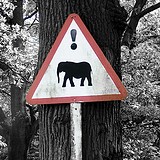 |
| What, indeed? |
Well, I can write little notes, all formatty like a word-processor and tag them. And I can clip webpages, not just the URL but the whole thing if I want, and tag them up too. A quick search suggests that there are ways of getting Delicious bookmarks into Evernote if I wanted to transfer them across, but it doesn't seem that they would be so easily available to other people? There's a 'share notebook' function, so I could set up different notebooks and share some of them but not others. But is it possible to make individual notes private or shared? Sociability is much harder than these guys make it seem:
 |
| Why isn't more of life like this? |
 |
| The point. Geddit? |
Subscribe to:
Posts (Atom)